Add a pixel sorting effect to an image
Sort bright pixels by brightness to create glitch streaks.Free to use in your browser, with no sign-in.
Drop an image hereor click to choose a PNG, JPG, or WebP file. Up to 20 MB.
How to add a pixel sorting effect
1. Choose an image
Choose a PNG, JPG, or WebP file up to 20 MB, or drop it onto the editor.
2. Set the threshold and direction
Drag the slider from 0 to 255, then choose a sort direction. The default threshold is 72.
3. Download image
Click Download image to save the result in the original file format.
FAQ
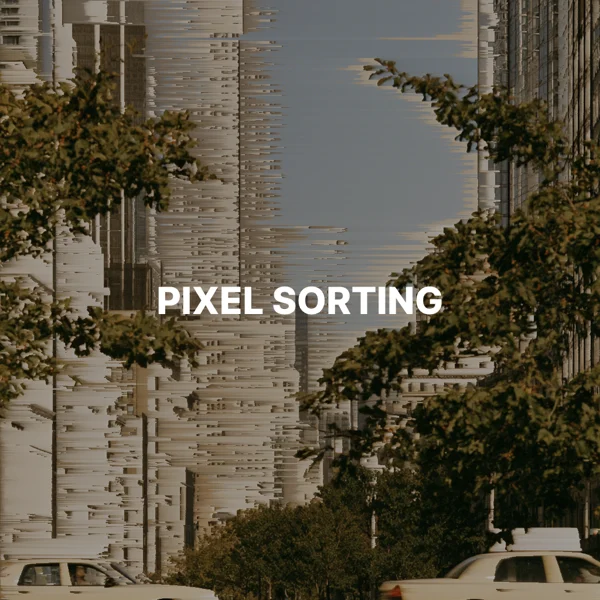
Pixel sorting rearranges pixels in each row or column by brightness, creating streaks for a glitch art look.
Only runs of pixels brighter than the threshold are sorted. Lower values sort more of the image, and higher values sort only the highlights.
Within each bright run, pixels are ordered from darker to brighter.
Horizontal creates sideways streaks, and vertical creates falling streaks.
Use it for glitch art, album covers, and experimental posters.
The download keeps the original format. JPG and WebP use quality 92. PNG uses lossless compression. Effects that add a background can fill transparent areas.
No. Your image is processed on your device and is not sent to our servers.
No. All image tools are free to use, with no sign-in.